InsightSlides plans the deck and writes each slide from your description, the tone and the number of slides you choose. That makes the description the most important thing you type. A vague brief gets a generic deck; a specific one gets a draft you can present after an hour of editing.
Five things every brief should say
- Who the audience is. "The leadership team", "new clinic staff", "a customer's procurement panel". The planner pitches the content to them.
- What you want from them. A decision, an update, a skill. Say it: "three asks to approve", "they should know who to ask".
- The sections, in order. The planner turns your description into slide topics; listing the sections you want, in the order you want them, is the most reliable way to get the structure you have in mind.
- The facts that must appear. Figures, names of projects, dates. The generator does not know your numbers; anything you do not give it will be general.
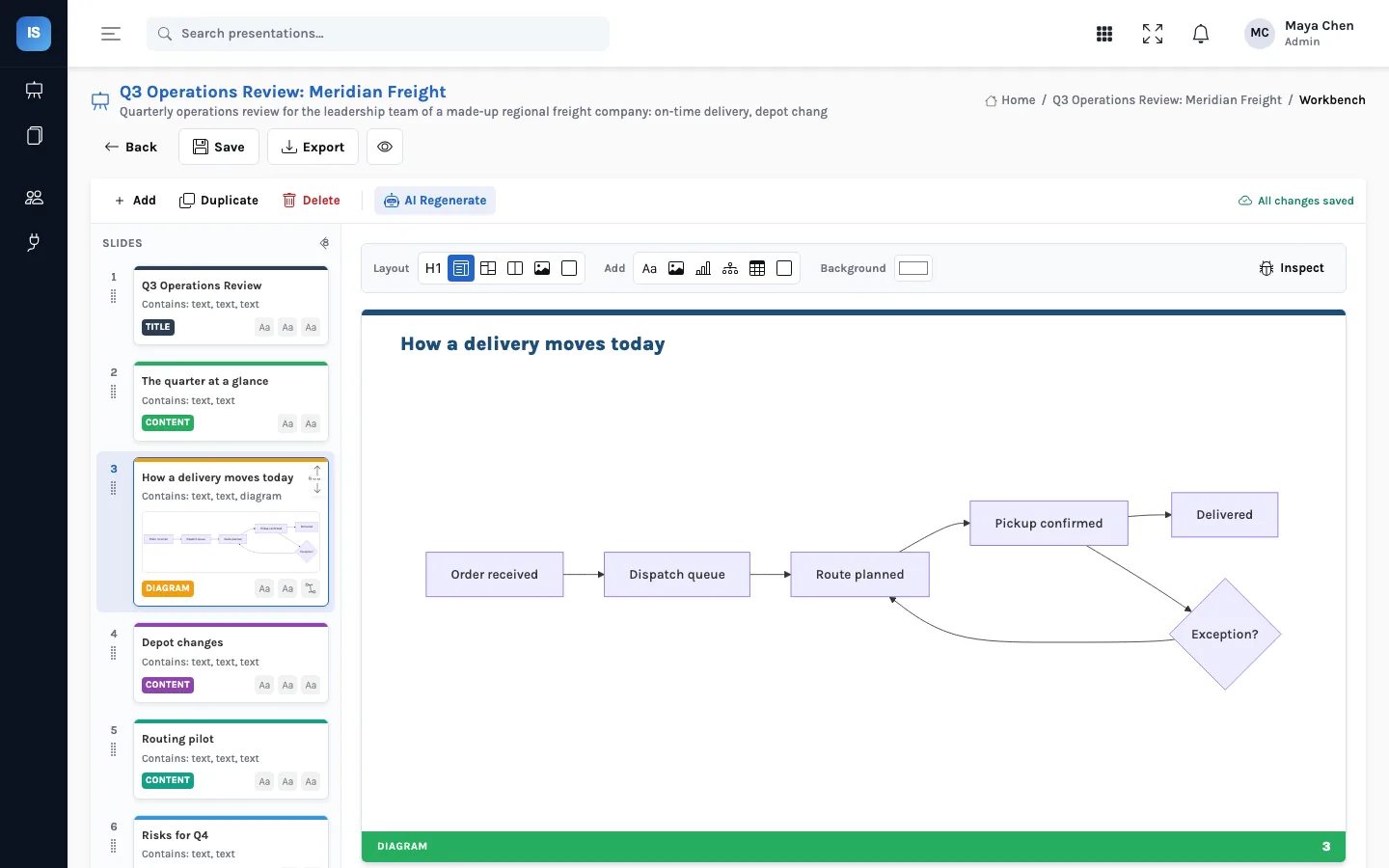
- Where a diagram helps. "One process diagram showing how a delivery moves from order to drop-off". Naming the process gets you a diagram of that process rather than a generic one.
Weak and strong
| Weak brief | Strong brief |
|---|---|
| "Quarterly review." | "Quarterly operations review for the leadership team of a regional freight company: on-time delivery, the two depot changes, the routing pilot on 14 routes, Q4 risks, and three asks. One process diagram of order to delivery." |
| "Onboarding slides." | "A friendly first-week guide for new clinic staff: who they meet on day one, systems to set up, where things are, what happens each day, who to ask. One timeline diagram for the week." |
| "Pitch for our product." | "A 10-slide pitch to a hospital's procurement panel: their problem in their words, what we do, how onboarding works in three steps (diagram), pricing model, references we can name, next steps." |
Slide count
You choose between 1 and 50 slides. The planner also suggests its own number, but the count you choose is what it is asked for, and the deck gets one slide per topic in the plan it returns, which is usually that count. Listing your sections makes the count predictable. Rough guidance:
- 5 to 8 for an update or a decision: title, a few content slides, the ask, next steps.
- 10 to 15 for a pitch or a training module.
- More only when the content really needs it; it is easier to add slides in the workbench than to cut a long generated deck.
Tone
| Tone | Good for |
|---|---|
| Professional | Leadership updates, client decks, board papers |
| Casual | Onboarding, internal team updates, culture |
| Academic | Teaching, research summaries, training with definitions |
| Creative | Workshops, launches, brainstorming kick-offs |
Common mistakes
- Asking for everything. "Cover our strategy, products, team, finances and roadmap" in eight slides gives eight thin slides. Choose what this audience needs today.
- Leaving out the ask. If you want a decision, say which one. Otherwise the deck ends with a generic summary.
- Pasting a document. A long paste buries the structure. Summarise it into the five parts instead.
- Trusting generated numbers. Any figure you did not supply is a placeholder at best. Check every number before you present.
A brief, rewritten
Here is one made-up brief taken from weak to strong in three passes, to show what each of the five parts adds.
| Pass | Brief |
|---|---|
| First | “Training on our new expense process.” |
| Add audience and goal | “A 30-minute training for team leads on the new expense process, so they can approve claims correctly from next month.” |
| Add sections, facts and a diagram | “A 30-minute training for team leads on the new expense process, so they can approve claims correctly from next month. Sections: what changes and when, the approval steps (one flowchart from claim submitted to paid), the three most common rejection reasons, receipts rules, where to get help. Approval limit stays the same; receipts are needed for everything over the threshold in the policy.” |
The third version names the audience and the outcome, lists five sections in order, asks for one specific diagram and states the facts the slides must get right. It also leaves out what the generator cannot know, such as the threshold figure, so nobody is tempted to trust a generated number; that goes onto the slide by hand, from the policy.
A template to copy
Audience: …
What I want from them: …
Sections, in order: 1) … 2) … 3) …
Facts that must appear: …
Diagram: one [flowchart / timeline / pie] showing …
Tone notes: …
A brief in this shape usually lands well under the 5,000-character limit of the description field, and the planner can turn each numbered section into a slide topic.
A routine
- Write the brief as a short paragraph using the five parts above.
- Pick the slide count and tone; pick your organisation's template.
- Generate, then read the outline in the navigator before reading any slide: is the order right?
- Fix structure first (reorder, add, delete slides), then wording, then figures, then notes.
- Keep the brief. Next time, start from the same paragraph and change what changed.
Frequently asked questions
Does the template affect what is written?
No. The template styles the deck; the words come from the description, the tone and the slide count.
Should I write the brief in bullet points?
Either works. What matters is that the sections are listed in order and the facts are stated. A numbered list of sections is the most reliable way to get the structure you want.
What if the first draft is far off?
Change the brief and generate a new deck rather than rewriting every slide. Keep both briefs; the difference between them is a record of what the generator needed to be told.