This is a worked example with made-up people and a made-up company. Meridian Freight is a fictional regional freight operator. Its operations manager has to present the third-quarter review to the leadership team: delivery performance, two depot changes, a routing pilot, risks for the fourth quarter, and three decisions she needs.
The brief
She writes one paragraph in the create form, picks eight slides, a professional tone and the Corporate Blue template:
Quarterly operations review for the leadership team of a regional freight company: on-time delivery, depot changes at North and Harbour, the new routing pilot on 14 routes, risks for Q4 and three asks (two replacement vehicles, extending the pilot to the coastal routes, the peak-season overtime budget). Eight slides, one process diagram showing how a delivery moves from order to drop-off.
The brief names the audience, the topics in order, the facts that must appear and the decision she wants. That is most of what makes a generated deck useful; the brief-writing guide explains why.
Before she generates
She spends ten minutes gathering what the generator cannot know: the quarter's on-time figure from the operations report, the two depot names and the date the new shift pattern started, the number of routes in the pilot, and the three decisions with their costs. The facts go into the brief or straight onto the slides afterwards; either way, they come from her report, not from the model.
The draft
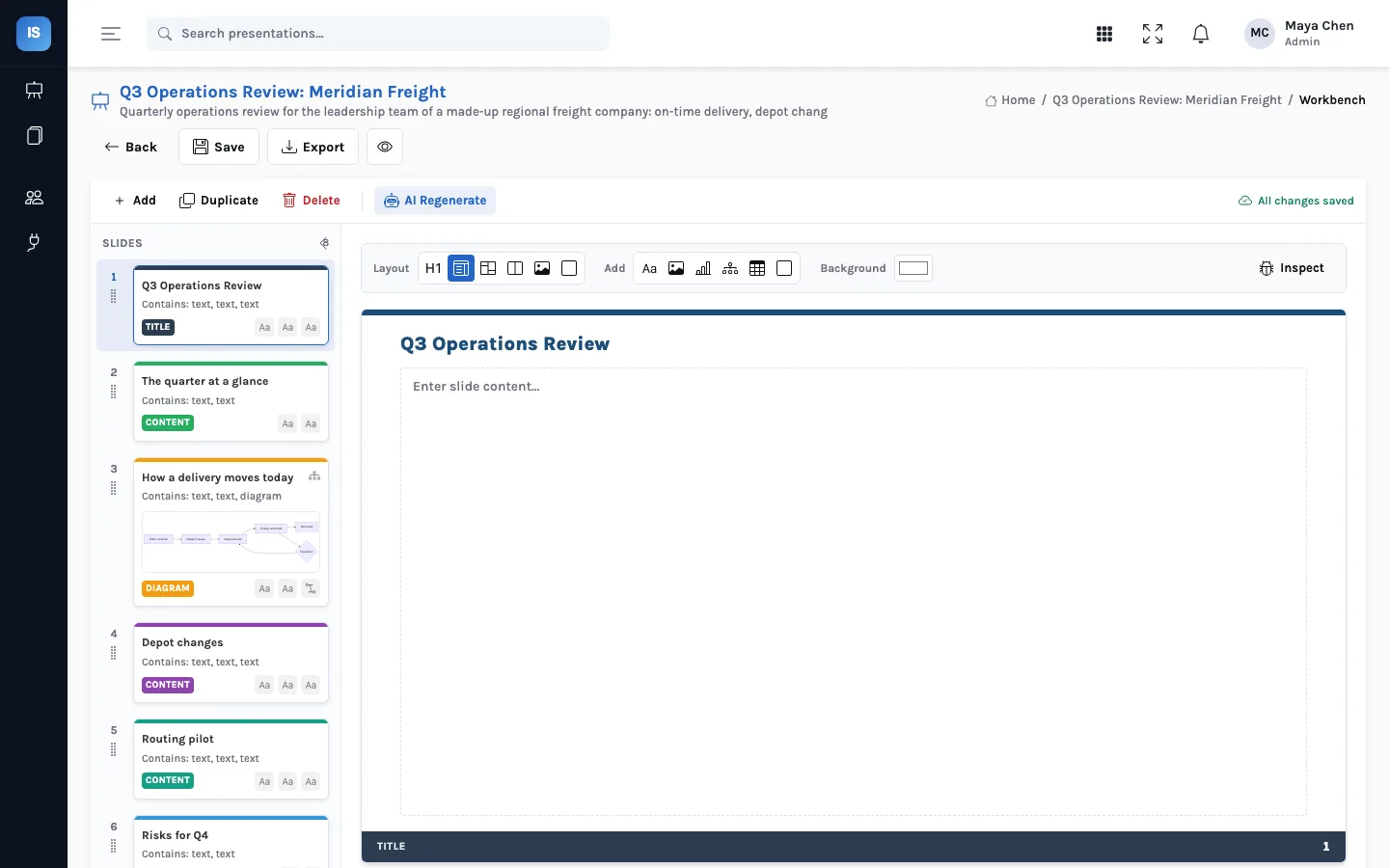
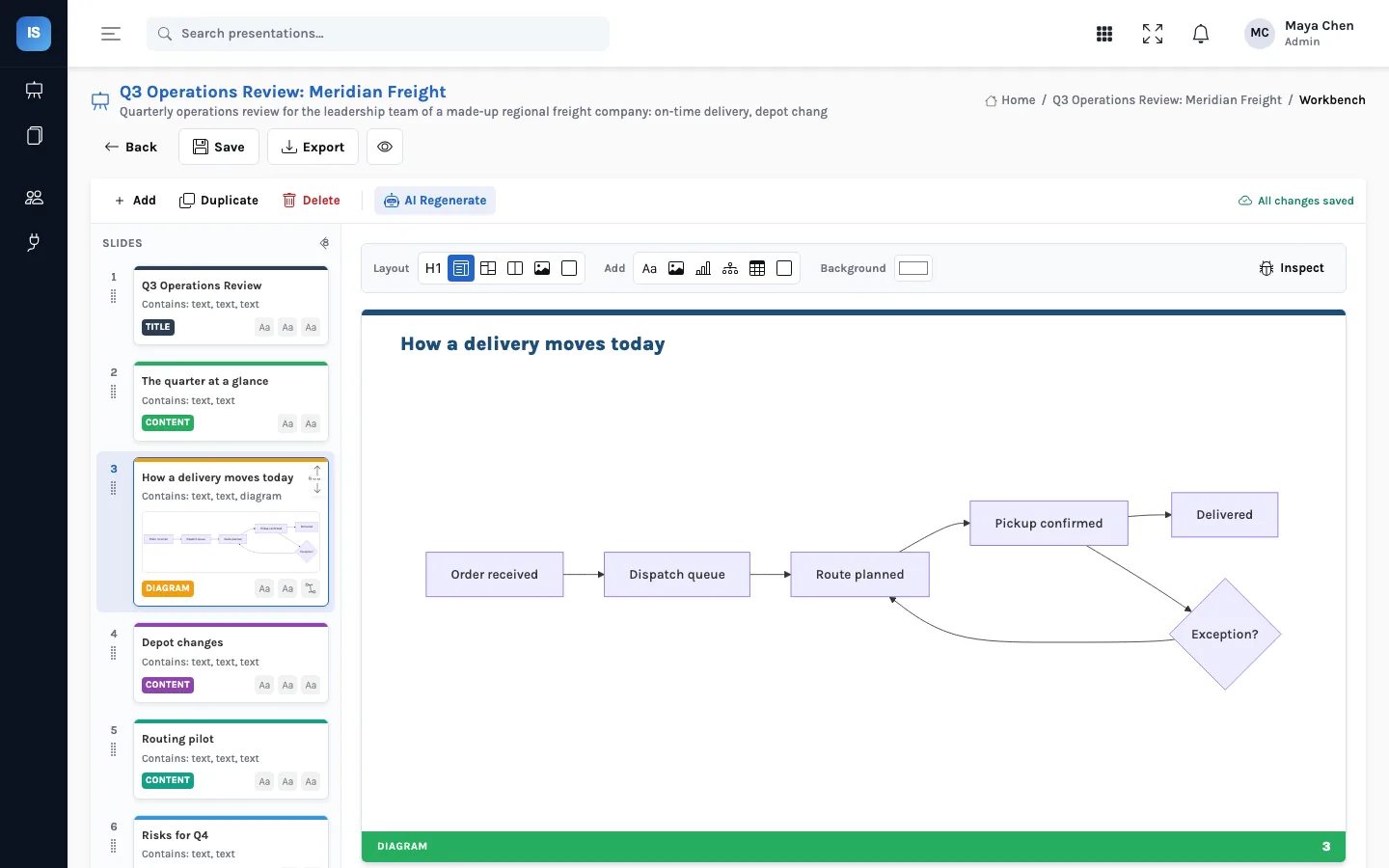
The deck that comes back has a title slide, a "quarter at a glance", a slide on how a delivery moves with a flowchart (order received, dispatch queue, route planned, pickup confirmed, delivered, with an exception loop back to planning), one slide each on the depots, the pilot and the risks, the asks, and next steps. Every slide has speaker notes.
Making it hers
The draft is a starting point. In the workbench she:
- Rewrites the bullets on The quarter at a glance with the actual figures from her operations report. Numbers come from her data, not from the generator.
- Adjusts the flowchart's Mermaid code so the exception step reads the way her planners describe it.
- Moves Risks for Q4 after Asks, so the decisions come before the discussion, by dragging it in the navigator.
- Reads through the speaker notes and replaces the generic lines with what she actually wants to say.
- Exports to PowerPoint with native diagrams, so a colleague can tweak the flowchart in PowerPoint if needed.
What changed in her week
The structure, the first wording of every slide and the diagram arrive together, so her time goes into the figures and the argument rather than layout. The deck stays in InsightSlides, so next quarter she can open this one, see what she presented, and write the next brief knowing what the leadership team asked last time.
On the day
She presents from InsightSlides' slideshow, which shows her speaker notes beside each slide, and sends the PowerPoint export to the leadership team afterwards. The export carries the text and the flowchart. One slide had a small table of depot figures that she added in the workbench; she checks that table in PowerPoint before sending the file.
Before the meeting she also opens the export once and steps through every slide, because the exported file uses the product's own 16:9 design rather than the template's colours, and she wants to see exactly what the leadership team will receive.
Next quarter, in four steps
- Open last quarter's brief and change what changed: the figures to include, the new risks, this quarter's asks.
- Generate a new deck from it with the same slide count, tone and template, so the structure matches what the leadership team saw last time.
- Copy the flowchart's Mermaid code from last quarter's deck if the process has not changed, and edit only the steps that did.
- Put the quarter's real figures onto the slides from the operations report, then rewrite the notes.
A checklist before she presents
- Every number on a slide traces back to the operations report.
- The asks are specific: what, how much, by when.
- The flowchart uses the words her planners use.
- The export has been opened once and every slide checked, including any tables or charts.
Frequently asked questions
Could the generator have used last quarter's deck?
Not directly. Generation works from the brief. Reusing the brief and pasting the previous diagram code is how the structure carries over.
Why not let the generator write the figures?
Because it does not have them. Any number in a generated slide that did not come from the brief is invented by the model and must be replaced or removed.
How long is the brief?
About a hundred words, as above. It names the audience, the five sections in order, the three asks with what they are for, and the one diagram. A longer brief is fine, up to the 5,000-character limit, as long as the structure stays easy to see; the planner turns what you list into slide topics, so a clear list beats a long paragraph.
Why this works for recurring reviews
- Same shape every quarter. A brief that lists the same sections produces decks with a consistent structure that the audience learns to read.
- The diagram is editable. Because it is Mermaid code, updating it next quarter is editing a few words, not redrawing boxes.
- Notes stay with the deck. If someone else has to present, they can open the deck in InsightSlides and read the speaker notes there.